Steinvar ScreenSanctions and AMLHits reach two people, not a spreadsheet.
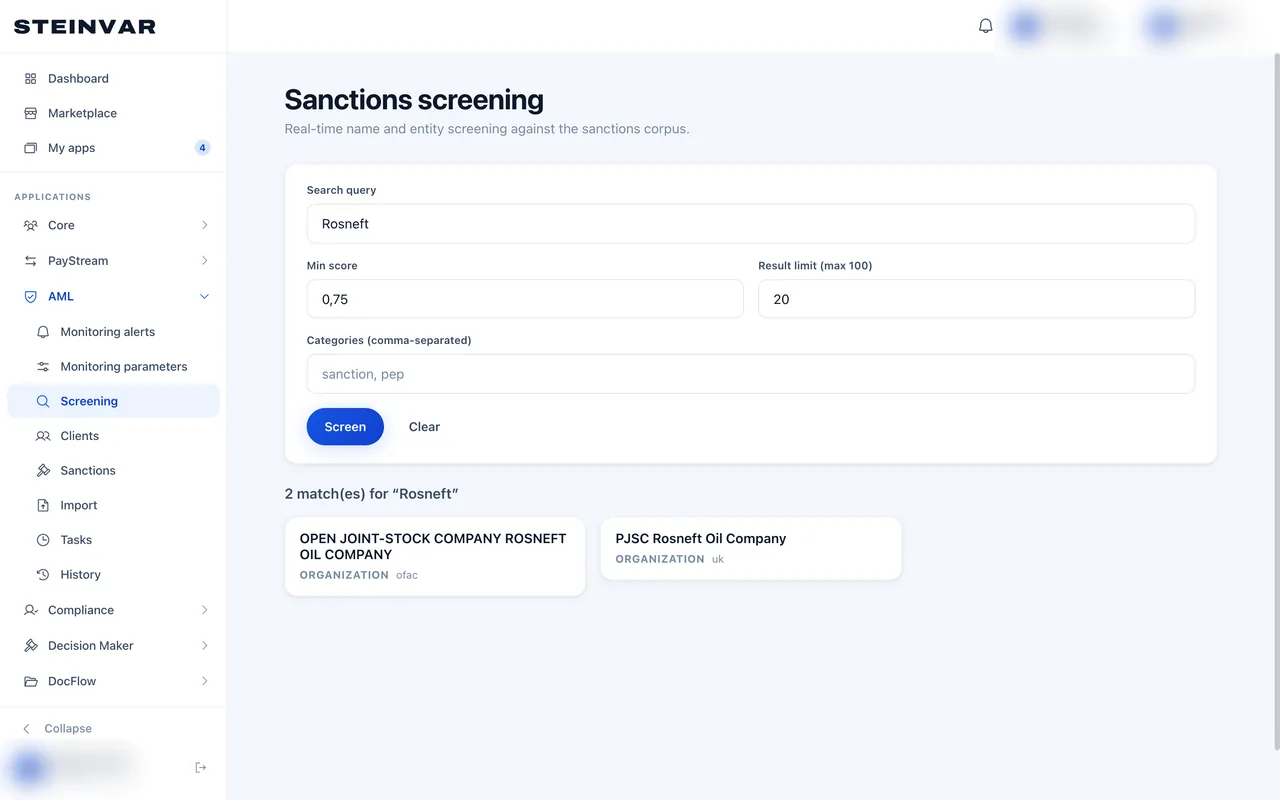
Steinvar Screen runs one watchlist engine on every channel: onboarding, related parties and both sides of every payment. Transaction-monitoring scenarios raise alerts that two people close, and a suspicious case becomes an FNTT report your MLRO approves.
The HQ back office; the workplace and people’s names are blurred.
- 5
- list authorities: EU, UN, OFAC, UK, Lithuania
- 6 hours
- between list refreshes, with delta screening
- 78
- FNTT suspicion criteria ready to apply
Sanctions screening
Lists
EU financial sanctions, UN, OFAC SDN and consolidated, UK and Lithuanian FNTT lists, ingested every six hours with checksums.
Delta screening
When a list changes, existing customers are screened against what changed.
Every channel
Onboarding, related parties and beneficial owners, and both parties of each payment in real time with a minimum score.
Two reviewers
A hit is released only by four-eyes, and a false positive needs two reviewers; the decision is remembered for that version of the subject.
Transaction monitoring
Scenarios
Pass-through, high-risk geography, structuring, velocity and deviation from the customer’s profile, run over statements.
Approved parameters
Thresholds are versioned, and a version applies only after a second person approves it.
Alerts
Each alert has a lifecycle, an SLA and two-person closure.
Reporting to FNTT
Report cases
A case opened from alerts or for a client, with the criteria monitoring suggests from FNTT’s list.
Deadlines in working hours
Three working hours after a suspension, and a deadline compliance sets otherwise, on the workplace’s business days, with reminders.
Suspension
Funds held while the report is prepared, on the client’s own money only.
MLRO approval
The approved report is frozen with its SHA-256; the filing and FNTT’s answer are recorded, and a rejected report is reworked.
How a suspicion becomes a report
Alert
A scenario or a screening hit raises an alert.
Review
Two reviewers close it, or it opens a report case.
Prepare
Form F-4 prepared and checked against FNTT’s criteria, inside the deadline.
Approve
The MLRO approves; the report is frozen.
File
Filed in FNTT’s system with a qualified signature, as FNTT requires; the answer is recorded.
Controls built in.
No single-person clearance
Sanctions hits, false positives and monitoring alerts each need two people.
Versioned thresholds
Monitoring parameters change only through an approved version.
Deadlines watched
Each report case counts its deadline in working hours and reminds before and when it passes.
Standards and formats
- EU FSF
- UN
- OFAC SDN
- UK sanctions list
- LT FNTT
- FNTT form F-4
Not in this module today
- FNTT takes reports only through its own system with a qualified e-signature; Steinvar prepares and records them, and does not send them.
- Fraud detection beyond limits and screening, and adverse-media screening, are not built.
Questions about Steinvar Screen
Are payments blocked automatically on a match?
A possible match stops the payment and goes to reviewers; it is released only by two people.
Is suspicious-activity reporting included?
It is a separate module you rent alongside Screen: it prepares the FNTT report, tracks its deadline and records the filing.