For fintechs evaluating components Evaluate one capability at a time, and see what it needs.
Each component is a product rented per workplace alongside Steinvar Core: Verify and Screen work on the customers Core keeps, Decide serves Lend and Verify, and Docs keeps its own records with its own API. This page says what each brings and needs, so you can judge the evaluation scope before any integration.
Prefer to look on your own? Open the sandbox with test data.
Who this is for
Fintechs that already run their own core or ledger and want to evaluate a single capability, such as onboarding, screening, documents and signatures, or decision rules, before deciding what to integrate.
What each component brings, and what it needs
Docs: documents and e-signature
Keeps its own documents, contracts, approvals and signatures, with its own REST API, webhooks and an OpenAPI definition (shared on request). Customers sign in e-banking as Core’s customers, so it is evaluated in a workplace with Core.
Decide: decision rules
Rule sets written as sentences, staged, tested against sample inputs and approved before use, with a record of every evaluation. In the platform it serves loan affordability and KYC risk rating.
Verify: KYC and KYB
Versioned policies, cases, document and chip checks, registries and ownership. It works on the customer records Steinvar keeps; using it with your own customer master is integration work.
Screen: sanctions and monitoring
One watchlist engine for onboarding and payments, monitoring scenarios and two-person review. It screens Steinvar’s customers and payments; screening your own records is integration work.
Notify: communications
Approved templates and delivery to e-mail, SMS, Slack and in-app. It is part of every workplace and sends the platform’s own events.
On the real screens
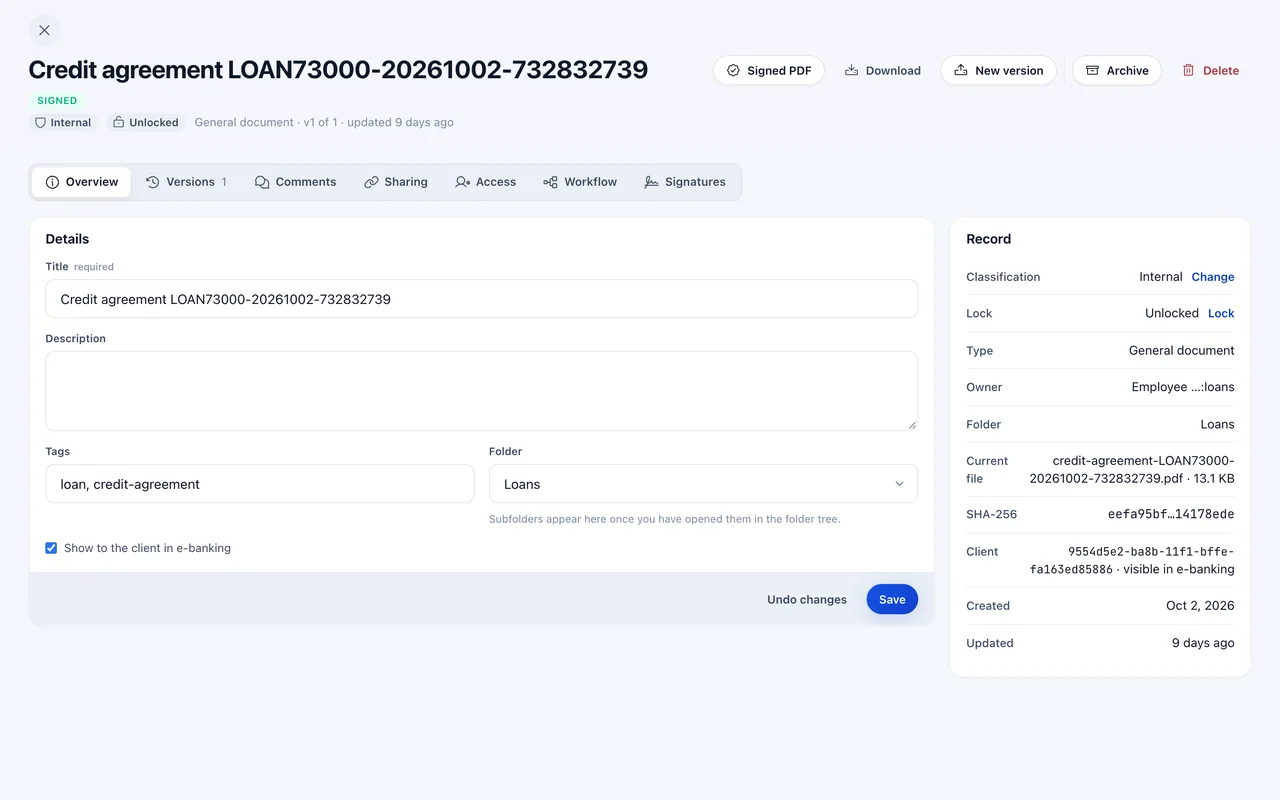
Docs: a document with its versions, record and signatures.
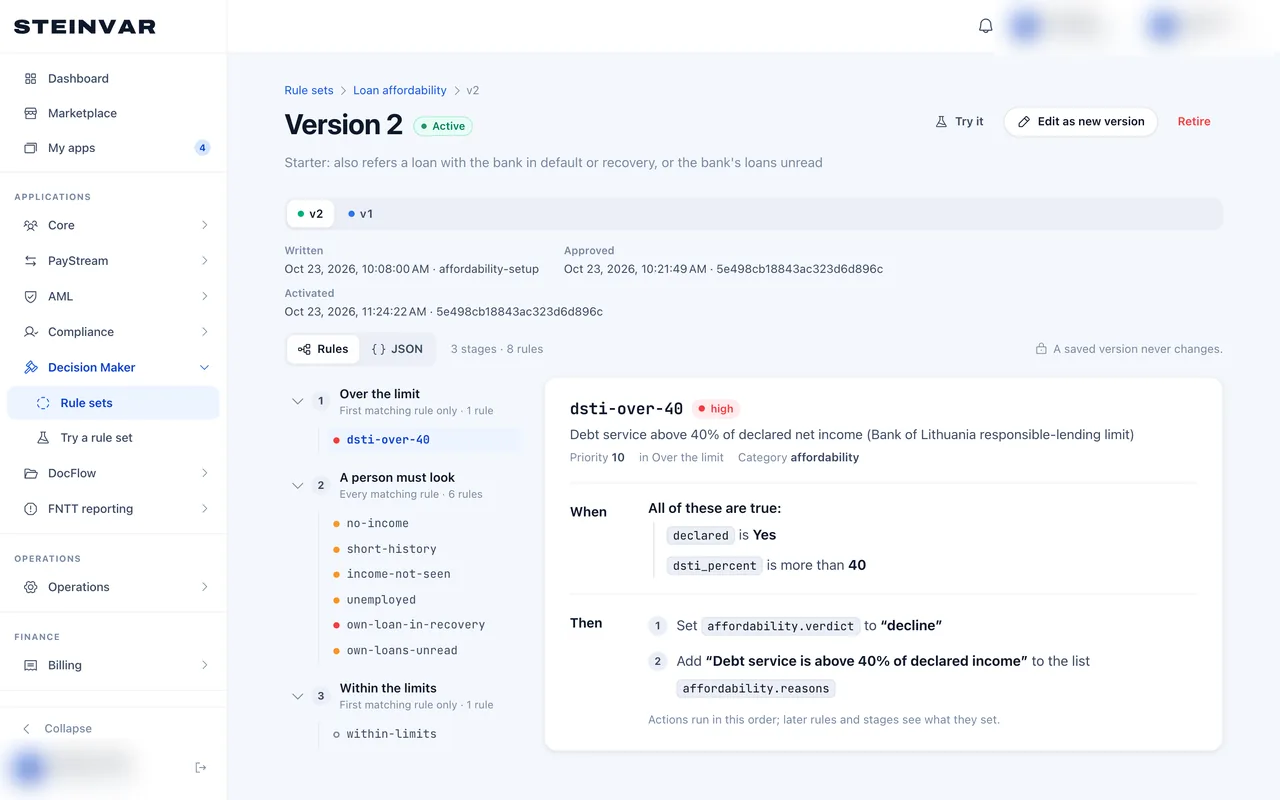
Decide: a staged rule set, version 2.
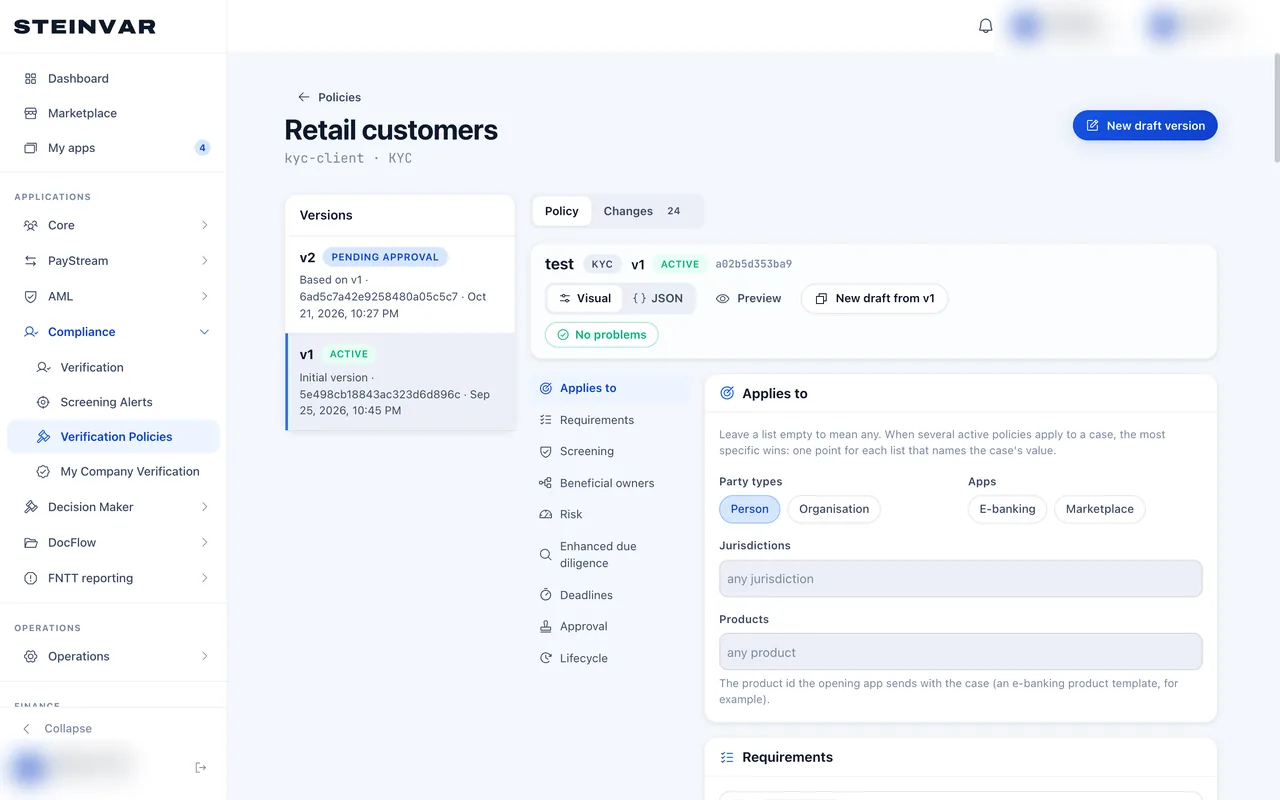
Verify: a versioned KYC policy in the visual editor.
Captured from the product; the workplace and people’s names are blurred.
The modules it uses
- Steinvar DocsDocuments and e-signatureRented as Steinvar Docs, alongside Steinvar Core.
- Steinvar DecideDecision rulesRented as Steinvar Decide, alongside Steinvar Core.
- Steinvar VerifyKYC and KYBRented as Steinvar Verify, alongside Steinvar Core.
- Steinvar ScreenSanctions and AMLRented as Steinvar Screen, alongside Steinvar Core.
- Steinvar NotifyCommunicationsPart of every workplace; nothing to rent.
What it depends on
- Every setup starts with Steinvar Core: Verify and Screen depend on its customer records, and integrating them with an external customer master is not established and is scoped in a pilot.
- FNTT Reporting is a product of its own, rented alongside Core and Screen.
- Payments posts to Steinvar’s ledger and is not offered as a standalone gateway.
- Public API documentation is not published; technical access and API definitions are shared on request.
Not supported today
- No drop-in SDKs or hosted widgets for embedding a module in your own app.
- Qualified e-signatures, commercial ID-verification and adverse-media feeds need providers that are not connected.
How to evaluate it
Read the module page
Each module page lists what it does, its controls and what it does not do.
Rent Core and the component in the sandbox
Rent Core and the product you want to judge, and try it with test data; the minimum setup for each is in the packaging table.
Ask for technical access
Tell us which module and your stack; we share the API definitions and scope the integration.
How a pilot is scoped, what is packaged with what, and what is ready today: Pilot, packaging and readiness