For lending fintechs Run consumer loans from application to the general ledger.
Steinvar covers a consumer loan end to end: the application, the affordability assessment, the signed agreement, daily interest, nightly collection, the dunning ladder when payments stop, and every posting in a double-entry ledger with an expected-loss allowance each month.
Prefer to look on your own? Open the sandbox with test data.
Who this is for
Fintechs that lend to consumers in instalments, under their own licence or while applying for one, and want the loan lifecycle, its accounting and its controls in one system rather than a loan engine, a spreadsheet and a separate GL.
The loan journey in Steinvar
Apply
The customer applies from an offer in e-banking, with declared income, obligations and employment; staff can also open a loan in the back office.
Assess
Debt-service-to-income from declared and observed income and the borrower’s loans with you, and a verdict from your Decide rule set. Staff decide; an override needs a reason, and a second employee approves above a threshold or against a decline.
Agree
The APRC and the agreement come from the same terms; the borrower signs in e-banking, then you, through Docs. The 14-day right of withdrawal is handled.
Pay out
A second employee pays the loan out; a payout whose outcome cannot be known is held for a person, and the schedule starts from the payout date.
Service
Interest accrues daily; repayments are collected each night, in part when funds are short. Holidays, restructuring and early repayment are handled, the changes under four-eyes.
Collect
Overdue loans open a collection case and climb your dunning ladder: letters through Docs, promises to pay, a formal demand sent only by two employees, and handover to an agency.
Account
Every step posts to your chart of accounts; the expected-loss allowance is set each month from parameters you approve, and loan reports reconcile to the GL.
On the real screens
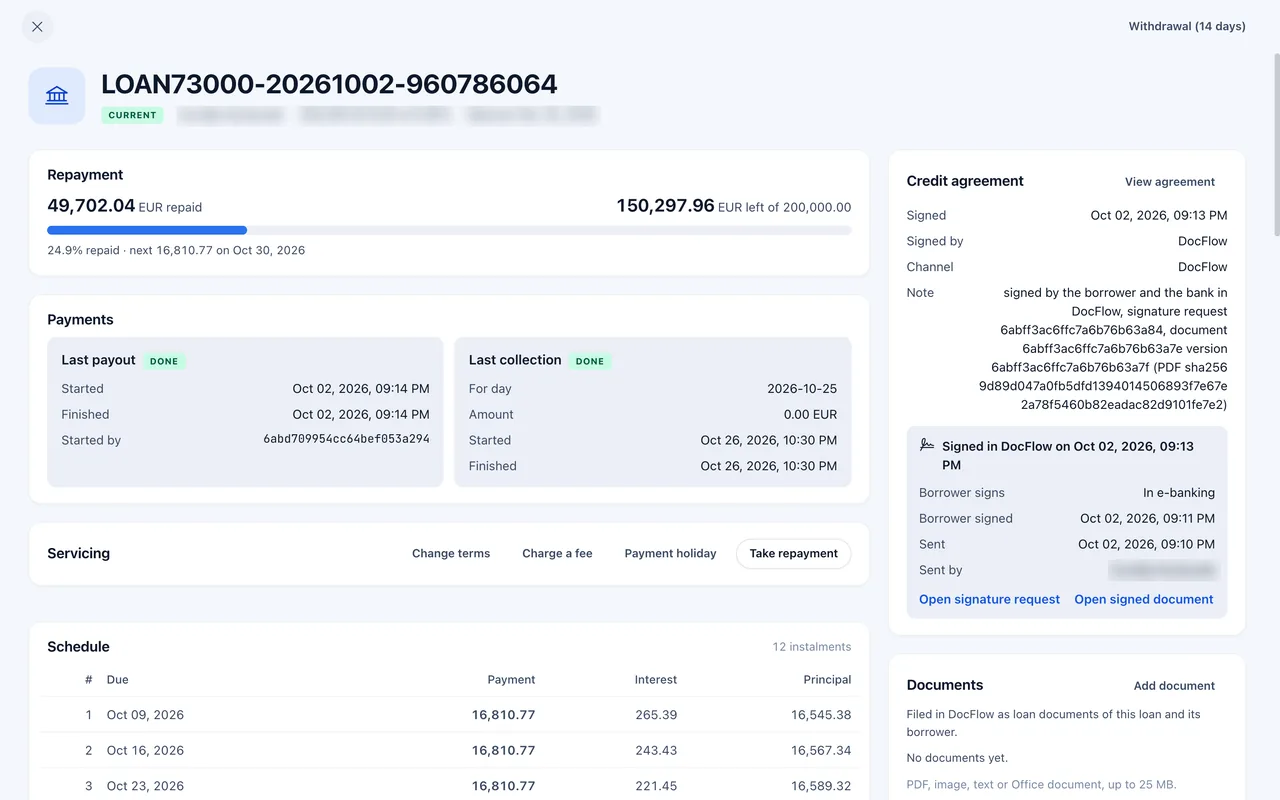
A loan being serviced: repayments, payout, collection and the schedule.
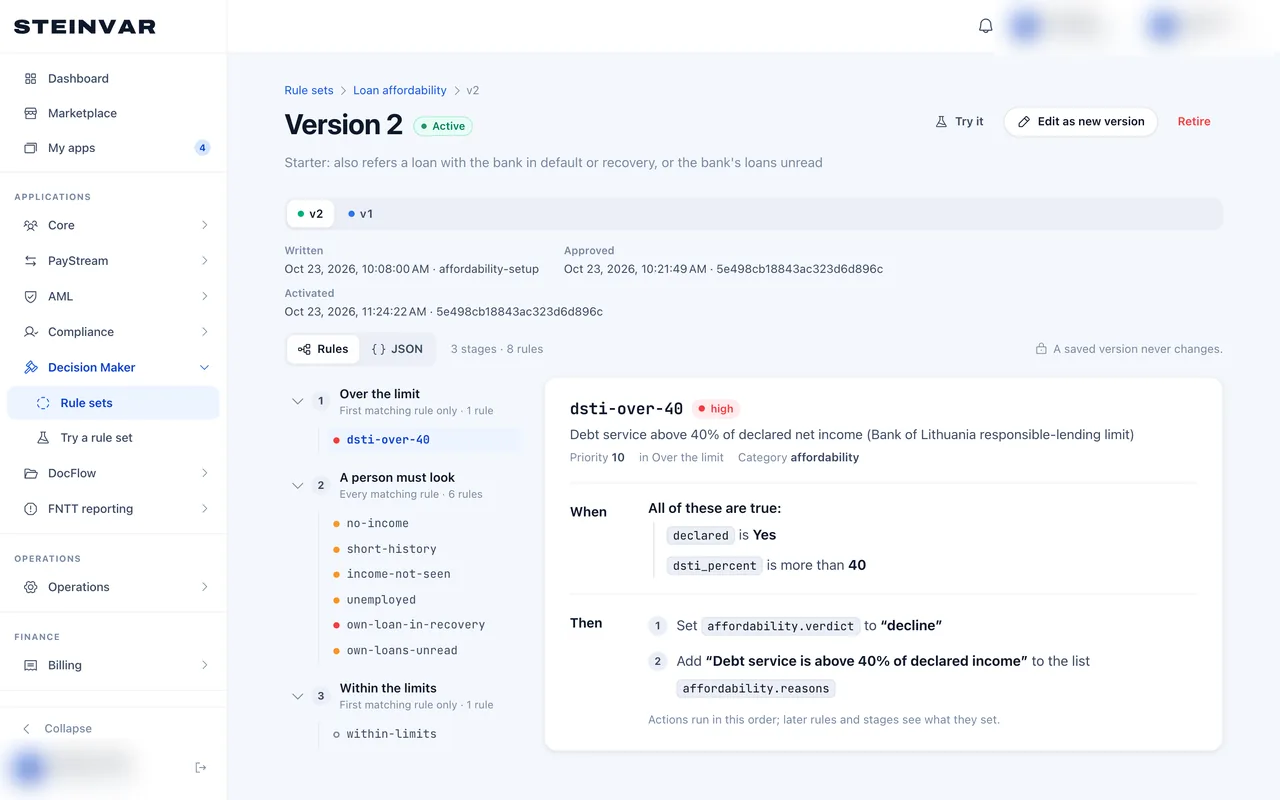
The affordability rule set staff approve before it is used.
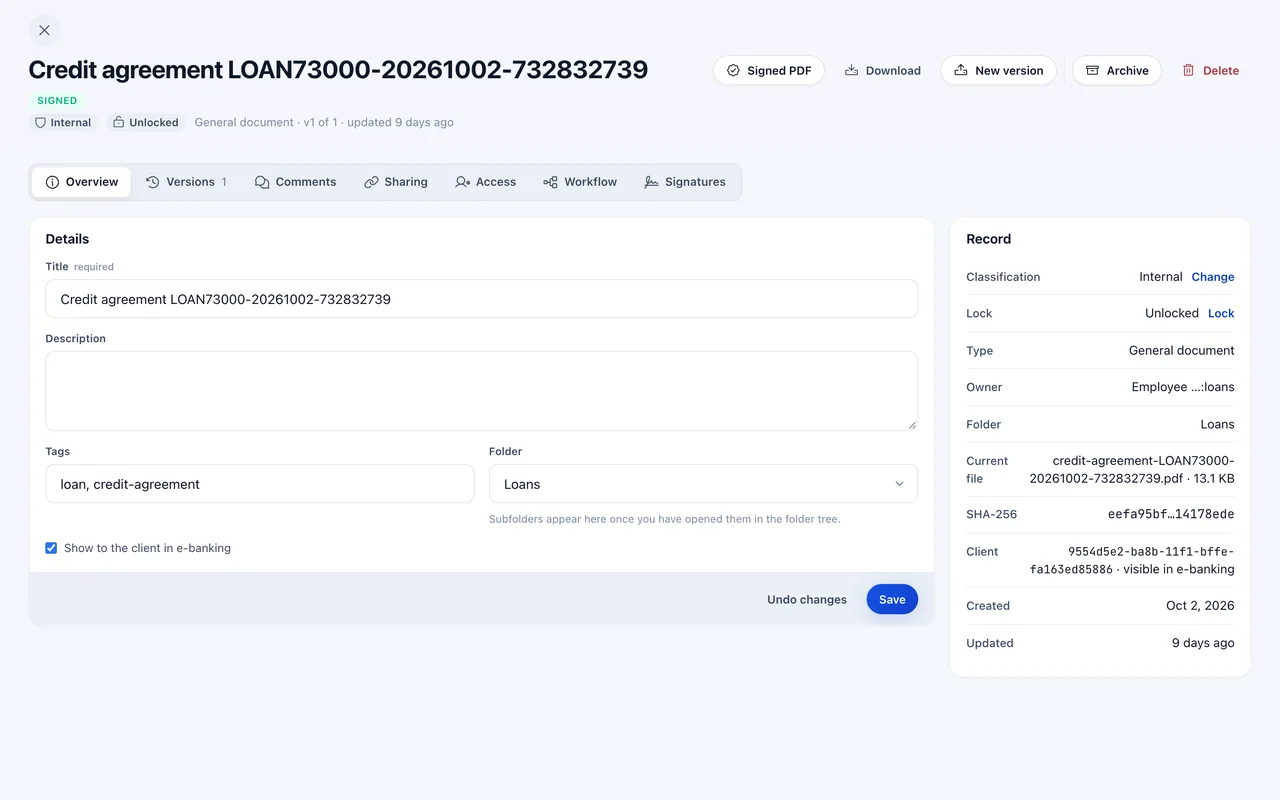
The signed credit agreement, filed with its evidence.
Captured from the product; the workplace and people’s names are blurred.
The modules it uses
- Steinvar LendConsumer loansComes with Steinvar Core, one rental with Ledger, Save, Lend, Flow and Report.
- Steinvar LedgerAccounts and general ledgerComes with Steinvar Core, one rental with Ledger, Save, Lend, Flow and Report.
- Steinvar DecideDecision rulesRented as Steinvar Decide, alongside Steinvar Core.
- Steinvar DocsDocuments and e-signatureRented as Steinvar Docs, alongside Steinvar Core.
- Steinvar VerifyKYC and KYBRented as Steinvar Verify, alongside Steinvar Core.
- Steinvar ScreenSanctions and AMLRented as Steinvar Screen, alongside Steinvar Core.
- Steinvar ReportStatements and returnsComes with Steinvar Core, one rental with Ledger, Save, Lend, Flow and Report.
- Steinvar NotifyCommunicationsPart of every workplace; nothing to rent.
What it depends on
- Money reaches and leaves borrowers through your sponsor bank or PSP; the connection is integration work scoped in a pilot. Steinvar has no live payment-scheme connection.
- Probability-of-default and loss-given-default values for the expected-loss model are yours to set and approve; the model applies them.
- Consumer-credit caps (late interest, APRC, penalties) are enforced as you configure them per product; whether they match the law that applies to you is your legal review.
Not supported today
- No credit-bureau or credit-register lookups: affordability uses declared income, the borrower’s accounts and their loans with you.
- No mortgages, collateral or guarantors.
- Agreements are signed with simple electronic signatures; qualified signatures need a provider that is not connected.
How to evaluate it
Follow the walkthrough
The lending walkthrough shows each step on the real screens.
Configure a loan product in the sandbox
Rent Core and Decide, set up a product and a rule set, and run an application with test data.
Scope a pilot
Tell us your products, your licence position and your partner bank; we map the modules and the integration work.
How a pilot is scoped, what is packaged with what, and what is ready today: Pilot, packaging and readiness