For payment and wallet fintechs Accounts, onboarding, screening and a ledger for your wallet or payment product.
Steinvar gives a payment or e-money business the systems behind the app: customer onboarding, multi-currency accounts with holds and limits, payments confirmed by the customer and screened on both sides, transaction monitoring, and a ledger that closes its books. The payment scheme itself is reached through your sponsor bank or PSP.
Prefer to look on your own? Open the sandbox with test data.
Who this is for
Electronic money and payment institutions, and fintechs building a wallet or account product on a sponsor bank, that need onboarding, screening and accounting they can show a supervisor.
A customer and a payment in Steinvar
Onboard
A KYC or KYB case under your versioned policy: documents and MRZ, ePassport chips, EUDI Wallet, company registries and beneficial owners. Unverified customers cannot open products or pay.
Open an account
Multi-currency accounts with IBANs, holds, customer limits and a status lifecycle; status changes need a second employee.
Pay
The customer confirms each payment with a code bound to its amount and payee. A payment entered by staff waits for a second employee. Each money request carries an idempotency key.
Screen
Debtor and creditor are screened against sanctions lists in real time; monitoring scenarios raise alerts that two people close, and suspicious cases can become FNTT reports.
Book
The payment posts once to account balances and the ledger; an hourly reconcile checks one against the other.
Hand to the rail
An external payment becomes an ISO 20022 message for your sponsor bank or PSP to carry; returns and recalls are handled once each.
Report
Monthly statements from the ledger in PDF and camt.053, filed and shown in e-banking.
On the real screens
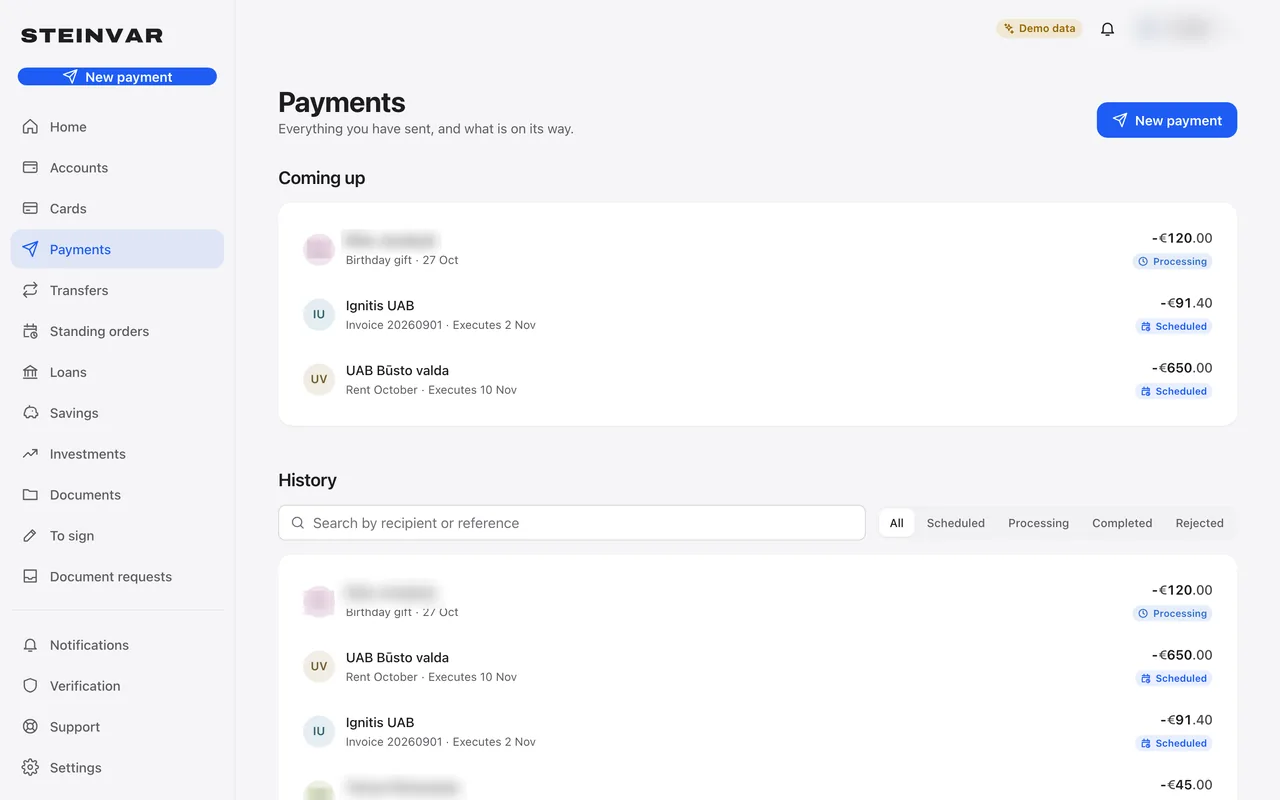
The customer’s payments in e-banking.
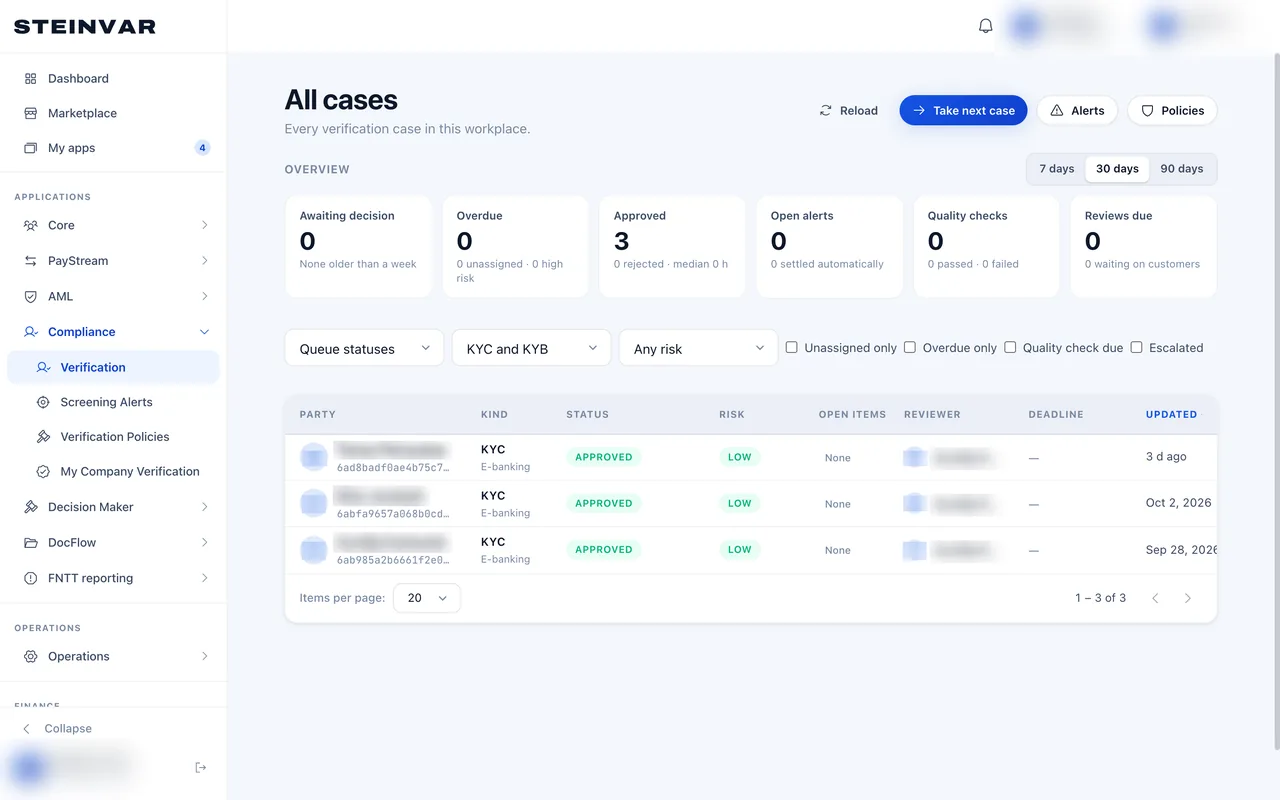
Onboarding cases waiting for, and closed by, reviewers.
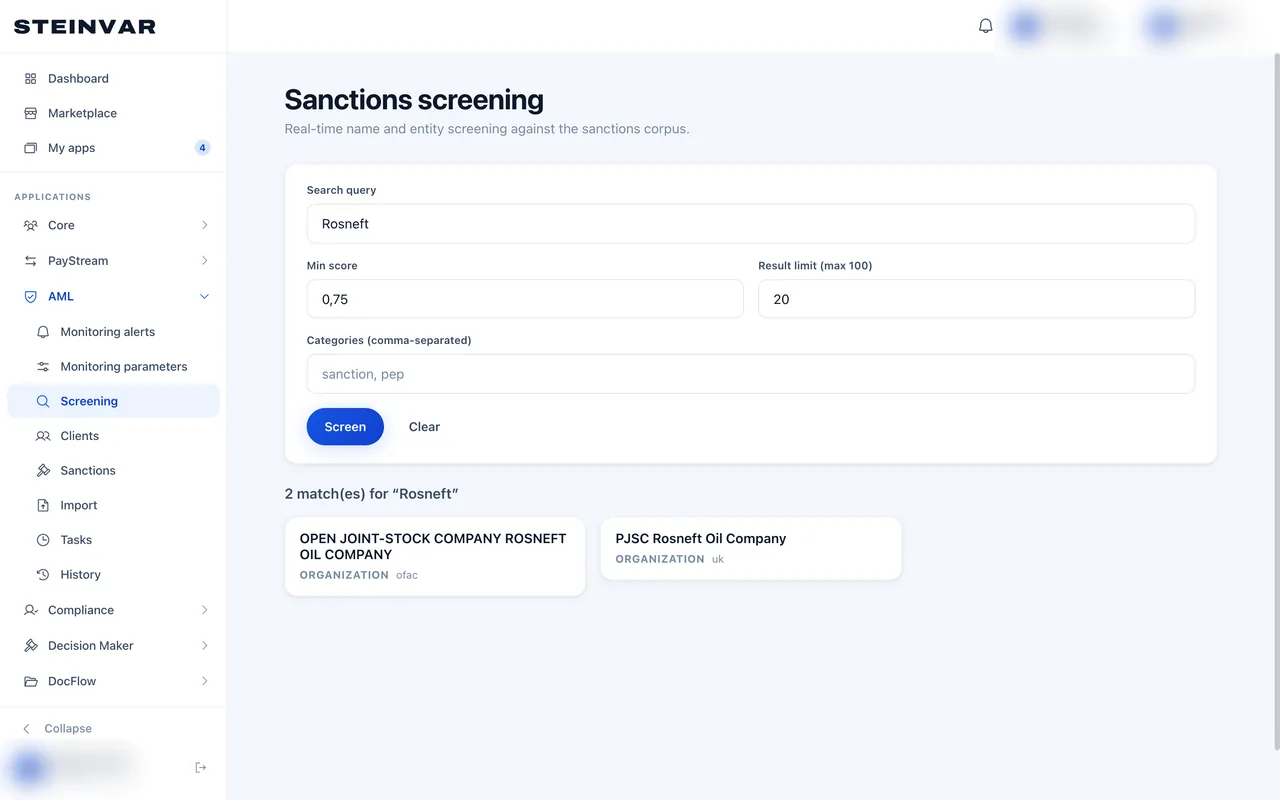
A sanctions search against the lists refreshed every six hours.
Captured from the product; the workplace and people’s names are blurred.
The modules it uses
- Steinvar PaymentsTransfers and SEPA formatsRented as Steinvar Payments, alongside Steinvar Core.
- Steinvar LedgerAccounts and general ledgerComes with Steinvar Core, one rental with Ledger, Save, Lend, Flow and Report.
- Steinvar VerifyKYC and KYBRented as Steinvar Verify, alongside Steinvar Core.
- Steinvar ScreenSanctions and AMLRented as Steinvar Screen, alongside Steinvar Core.
- Steinvar ReportStatements and returnsComes with Steinvar Core, one rental with Ledger, Save, Lend, Flow and Report.
- Steinvar NotifyCommunicationsPart of every workplace; nothing to rent.
- Steinvar DocsDocuments and e-signatureRented as Steinvar Docs, alongside Steinvar Core.
What it depends on
- Your own licence, or the licence of the institution you operate under; Steinvar is software and supplies no licence.
- A sponsor bank or PSP that carries your payments to the scheme; Steinvar builds the messages and envelopes, and connecting to your partner is integration work scoped per client.
- Commercial identity-verification, PEP and adverse-media data, if you need them, through a provider that is not connected today.
Not supported today
- No live connection to SEPA or any clearing system: message formats are supported, the rail is not.
- No card issuing or processing, no card programme: card records only.
- No SEPA Direct Debit, SWIFT, Verification of Payee or PSD2 access for third-party providers.
- No fraud detection beyond limits, screening and monitoring scenarios.
How to evaluate it
Follow the walkthrough
The payments walkthrough shows onboarding, a payment, screening and the ledger on the real screens.
Try onboarding and payments in the sandbox
Rent Core, Payments, Verify and Screen; onboard a test customer and make internal transfers with test data.
Scope a pilot
Tell us your licence, your sponsor bank or PSP and your flows; we map the modules and the rail integration.
How a pilot is scoped, what is packaged with what, and what is ready today: Pilot, packaging and readiness